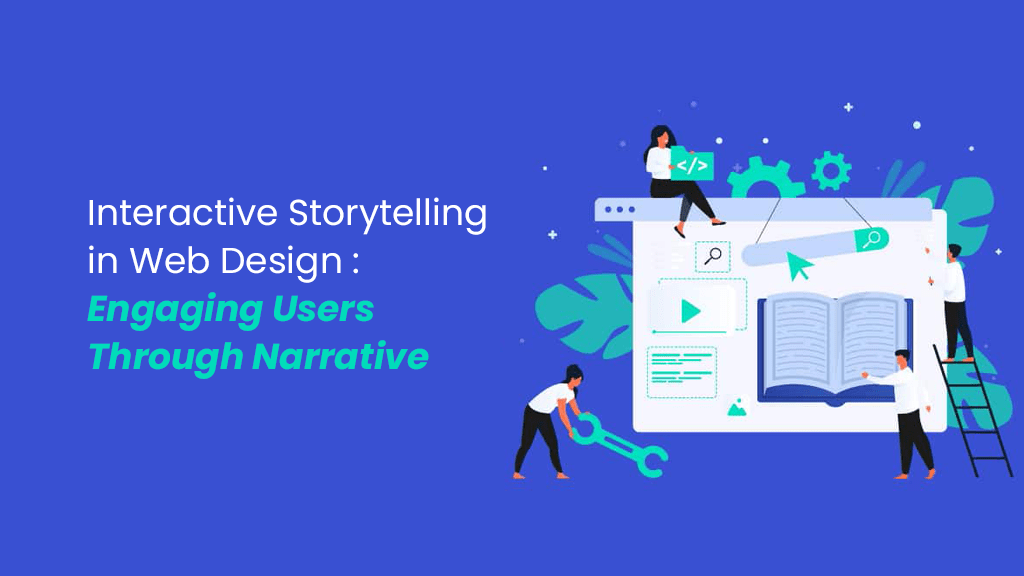
Interactive Storytelling in Web Design: Engaging Users Through Narrative

In digital marketing, storytelling remains essential for communicating brand messages through engaging narratives. 

Content is not just about texts, but visuals too. Today, storytelling has become more visual, using pictures, videos, and designs on websites to connect with audiences. 

As a web designer, mastering interactive storytelling is crucial to capturing visitor attention and fostering brand engagement. This article explores key storytelling principles for designers and web design strategies to engage audiences effectively.

Why Interactive Storytelling is Important in Web Design?

Beyond aesthetics, visual storytelling is being used as a strategy to boost user engagement and optimise search engine results. A website that is easy to use and follows a well-organised story can lead users more comfortably, decreasing bounce rates and increasing dwell time of visitors.

Interactive storytelling in web design effectively conveys corporate identity, builds rapport with customers, and boosts brand loyalty. By telling brand stories through artistic components, social media users become more aware of the brand and visit it more frequently.

Since search engines give preference to websites with interesting images and videos, it is imperative for search engine optimization to invest in high-quality visual elements. Using interactive web solutions to organise content not only helps in search engine indexing but also increases SEO visibility.

Good first impressions from website design are crucial, underscoring the significance of narrative in web design to improve search engine rankings, increase click-through-rates, and establish authority through involved users.

Important Elements of Storytelling in Web Design

To connect, captivate, and resonate with your audience, effective visual storytelling depends on essential components working together. Building creative website designs and aesthetically pleasing requires an understanding of these elements:

User Experience

In digital marketing, user experience is everything. When people experience stress while navigating through your website, they are likely to refrain from buying anything from your brand.

The user experience is critical to the effectiveness of visual storytelling. This means designing a user-friendly and intuitive experience for users to navigate your website.

To what extent do users navigate your website efficiently? Is information easily available? How much of your images are easy to use? These are important questions.

Emotional Appeal

The core of developing a narrative is evoking strong emotions in your target audience. Human behaviour is driven by emotions, therefore if you can connect with them on a deep level, you’ll hold their attention.

Pictures have the ability to arouse strong feelings like joy, empathy, excitement, or longing. Including visually stimulating content on your website strengthens the connection between you and your audience.

Interactivity

You must actively interact with your audience if you want to fascinate them. Including interactive elements increases user engagement and motivates readers to actively participate in your narrative. Making use of resources like interactive infographics, tests, and multimedia presentations enhances your story and makes a lasting impact.

Additionally, because interactivity encourages users to stay on your website longer and indicates the availability of excellent material, search engines reward it.

Responsive Design

You may fix a lot of issues with your website using responsive design. You’ll gain more time from visitors to your site, make your site mobile-friendly, and enhance its appearance on screens of all sizes. Enhancing your search engine rankings might also be aided by it.

Typography and Texts

While written words are usually not associated with visual storytelling, textual elements like headings, descriptions, dialogue, and narration do play a crucial role in creating a cohesive visual tale. The arrangement, style, and font choice of text can guide the reader, provide context, or add details that are relevant to the main plot.

Visual Storytelling and Principles in Web Design

Before you incorporate interactive storytelling in web design, you must understand the following principles of innovative website design:

  • Structure: Visual narratives follow a predetermined order that consists of an introduction, a middle section, and an end. The homepage serves as the website’s friendly entryway, outlining its main points of interest. The primary section serves as the website’s beating heart, containing all the crucial company information. Here is where the narrative takes place. Lastly, there’s a button or prompt urging you to take a certain action at the conclusion.
  • Conflict & Resolution: In the world of web design, resolving disputes and overcoming obstacles entails identifying the challenges people have and showcasing how your company can solve them.
  • Hierarchy: Effective visual storytelling makes use of visual cues like ratios, colours, and contrasts to draw the viewer in, highlight important compositional parts, and encourage users to take certain actions.
  • Context: Visual storytelling creates images that are relevant, meaningful, and appropriate for the viewer by taking into account the particular platform, presentation style, and target audience. This makes it possible to create an overall engaging and personalised experience.

Best Visual Storytelling Practices for User Engagement

Maintain Consistency in Design

Consistency in web designs gives the audience a unique and cohesive visual experience. In visual narrative, layout, colour, typography, and photography are essential components:

  1. Colour Scheme: Select a consistent colour scheme that complements your brand and the feelings you want to express. Use colour theory to help create visual coherence and focus the viewer’s attention.
  2. Typography: Choose readable typefaces that go well with your material. Make sure that the font styles, sizes, and layouts are all consistent throughout your visual story.
  3. Visual Aesthetic: Create a unified visual style that reflects both your brand and the tone of your story. This could include the use of photos, illustrations, or unique graphic components.
Accessibility Consideration

To ensure inclusion and enjoyment for all, give accessibility top priority when employing visual storytelling. This embodies the essence of user-friendly web design.

  • Image descriptions: Provide text descriptions for images to aid target audiences who are visually impaired.
  • Text and image contrast: Maintain sufficient contrast between the text and the images so that those who are colour-blind can easily read them.
  • Video transcripts & captions: Add captions to videos to make your content accessible to those viewers who are partially or completely deaf.
Testing and Iteration
  • User Testing: Consult with the intended audience to acquire their opinions on visual storytelling. Evaluate responses, get feedback, and pinpoint areas that need work.
  • Analytics: Gather information about user interaction by using analytics technologies. To identify your website’s advantages and disadvantages, examine data such as page length, click-through rates, and conversions.
  • A/B testing: Try out various visual storytelling components. To find the best choices, test versions on various audience segments.

Conclusion

In conclusion, integrating interactive storytelling into web design is vital for enhancing user engagement and SEO effectiveness. Prioritise elements like user experience, emotional appeal, interactivity, responsive design, and accessibility. Maintain visual consistency and test regularly to refine strategies.

Looking for best web design services? Reach out to us!

Hiring Junior Developers: Investing in Tomorrow’s Talent

Often, companies seek to hire junior developers because they usually demand lower salaries compared to their senior counterparts. However, this should not always be the sole rationale behind hiring them. 

Companies should prioritise their new perspectives and their hunger to learn and prove themselves when hiring fresh talents. They can be trained in the specialised technologies of an organisation and prove to be great assets for the company’s growth. 

Are you keen on investing in the right talent? In this article, we explore the criteria, qualifications, and skills essential to consider when seeking to hire junior developers.

Guide to Hiring Talented Junior Developers

Junior developers are the future of the software industry. Investment in the right candidate can shape the future of your company and its software development culture. 

Here are some tips to follow when hiring a junior developer:

  1. Review developer’s portfolio: To evaluate a software developer’s coding abilities, it is essential to look through their portfolio. It displays their accomplishments, showcasing their experience and strengths. Diverse projects with detailed descriptions, source code, and working demos are all part of a solid portfolio.
  2. Ensure that you test their coding skills: Having a junior developer who can quickly implement modifications and has a solid basis in coding and development is essential. It is ineffective to have doubts about the skills of your development staff. It’s best to identify a certain software stack and adjust your questions appropriately.
  3. Give them a coding challenge: Coding challenges test a developer’s logical reasoning, creativity, and technical skills by having them use code to solve problems. Effective challenges are role-relevant, time-limited, with clear instructions and evaluation criteria. These challenges can reveal a junior developer’s critical thinking and problem-solving abilities, as well as their error-handling skills. Moreover, they can demonstrate the ability to maintain code clean and ensure code scalability in terms of time and memory.
  4. Pair Programming: Another way to evaluate coding skills of developers is through pair programming, which is a technique where two engineers work together on a piece of code. It makes it possible to evaluate their coding skills, testing, debugging, tool use, cooperation, and communication in real time. Clear goals, mutual respect, balance, and productivity are all indicators of a good session.
  5. Conduct Behavioural Interviews: Behavioural interviews offer a comprehensive evaluation of a junior developer’s coding skills. You can learn about someone’s abilities, motives, and flexibility by looking into their prior experiences and behaviours. These interviews, which are organised and directed by the STAR (Situation, Task, Action, Result) technique, show how applicants function in different situations.
  6. Ask technical questions: Make sure you ask a wide range of theoretical technical questions throughout the interview to gain a better understanding of the candidate’s comprehension. It is imperative to confirm that the developer has the necessary experience and is acquainted with the workings of your business. As such, make sure you communicate your expectations to the candidate under review as well as to yourself.
  7. Utilise Trustworthy Platforms like Linkedin: It is best to use specialised platforms like LinkedIn. It provides more flexible and efficient job posting procedures, which increases the possibility of hiring top developers. Moreover, while Upwork and Freelancer.com offer large databases of qualified experts with a range of specialisations and experience levels, Fiverr gives preference to individual freelancers offering specific services. If you are looking for a highly specialised web developer, Fiverr might be a better option.
  8. Don’t be gender biassed: Do not doubt the potential of a candidate because of their gender when hiring young talent. Today, women software developers are as productives and skilled as men. According to a few studies, having a mix of both genders in tech teams drives more creativity and innovation.

Will AI Replace Developers?

There is no doubt that the field of coding has seen a radical transformation thanks to recent developments in artificial intelligence (AI), bringing about previously unimaginable levels of automation and efficiency.

However, despite all these advancements, AI is not going to replace developers in the future. This is because AI cannot replicate the human aspect of software development: the capacity for understanding, innovation and adapting. 

Therefore, while AI will undoubtedly continue to influence software development, it will not replace developers. Instead, development teams can leverage AI to enhance their productivity and innovation.

Conclusion

In conclusion, hiring junior developers is a long term investment. Instead of seeing them as a cost-effective alternative to experienced developers, invest in their potential to become the future stars of your company. 

Of course, they shall be hired after they have undergone the interview process and assessment of their skills and abilities. 

Once they hone their skills and gain relevant experience, reward them with significant raises and greater opportunities to ensure the retention of these talented developers.

Importance of Quality Assurance in Software Development

A high-quality software is essential for business growth! It enhances productivity and efficiency while minimising cost, risk, and errors. 

That’s why quality assurance (QA) is essential to monitor and preserve the software’s quality at every stage. It is the cornerstone of any organisation’s software development process, providing a barrier against flaws in the application that is still being built.

Moreover, it guarantees that customers are provided with nothing short of superior products, services, and solutions. When it comes to determining whether your product launch is successful, quality assurance is essentially the beacon of accuracy. 

In this article, we discuss the importance of software quality assurance, its benefits and best QA practices.

Software Quality Assurance & Its Significance

Software quality assurance (SQA) is the ongoing process of confirming that a software product satisfies the predefined quality standards established by the company. 

It uses QA more than bug testing; it goes further into technique. It coordinates procedures to satisfy customer needs, avoid problems before they arise, and prevent errors. It involves conducting research on meeting client wants and removing weak points. 

In this process, the goal is to identify any development defects or failures that may have been overlooked when designing or developing a software application. Early-stage analysis reduces potential problems and guarantees a smooth development process.

Quality Assurance vs. Quality Control

When it comes to quality assurance, the focus remains on to reduce defects and errors in the final product for the end user. It takes a proactive stance towards product quality by monitoring the processes, ensuring quality requirements are met before and during the development phase. 

Conversely, quality control inspects the software after development to look for flaws and rectify them before the release.

Steps to Implement Software Quality Assurance

Here is a six step structured approach to effectively implement SQA:

  1. Define quality standards: Clearly establish the set of quality standards for your software product. Outline requirements, acceptance criteria and metrics to measure performance of the product. Ensure that all stakeholders, from development team to management and customers unanimously agree on these standards.
  2. Plan SQA activities: Create a strategy outlining the SQA activities to be performed during every stage of the development process. This strategy must cover evaluations, testing procedures, and documentation tasks. Plus, it should clearly designate individuals accountable for each task and determine the timeframe for their completion.
  3. Conduct reviews: Examine software artefacts like design documents, code, and specifications with an impartial team of experts to identify flaws early on, cutting down on repair expenses later on, and improving development productivity.
  4. Perform testing: Perform a range of assessments, such as acceptability, system, integration, and unit tests. Use automated testing tools to increase efficiency and reduce the likelihood of human error.
  5. Monitor and measure: You must monitor and measure the software product’s quality throughout the entire development phase. Analyse metrics such as code coverage and defect density, and then conduct root cause analysis to keep track of errors and resolve them on-time.
  6. Improve continuously: Evaluate monitoring results, identify areas for improvement, and make necessary process adjustments to improve QA in software development.

The Most Common QA Techniques

Specialists recommend the following five widely used QA best practices in software development to ensure the quality of the product:

  1. Standardisation: This technique is used to determine whether the software product or process satisfies the required standards. The criteria in this framework usually allude to ISO 9001 standards.
  2. Code review: For the purpose of preventing problems in subsequent stages of software development, technique of reviewing code entails standard testing to find bugs, primarily related to QA.
  3. Simulation: Developers leverage this method to observe how the stimulated program will behave under a normal working environment. To make it happen, the developing team creates a virtual model.
  4. Functional testing: Using this method, experts look to determine the software’s capabilities within the framework of its intended uses.
  5. Stress testing: Software is tested under extreme conditions, such as when many users are using it simultaneously, to check if it can withstand such circumstances.

Benefits of QA in Software Development

Thanks to SQA, here are some of the obvious software testing benefits:

  • Higher efficiency: Higher-quality software works considerably more effectively than lower-quality software. This suggests that the software functions faster to complete assigned tasks, saving users’ time and increasing productivity.
  • Better reliability: The confirmation of quality ensures that the final product is fit for use and strong enough to withstand hard conditions and prolonged durations of operation. An application of software, for example, doesn’t crash even under heavy load, preventing data loss or other unfavourable outcomes.
  • Enhanced functionality: QA ensures proper implementation of functionalities and smooth integration of the programme into its operating environment, including networks and infrastructure.
  • Improved security and privacy: Maintaining quality assurance safeguards sensitive data across various sectors like retail and healthcare. It entails protecting infrastructure from malicious attacks and safeguarding data storage from security breaches. For example, QA in the healthcare industry makes sure that rules like HIPAA are followed, ensuring the confidentiality of patient information as well as payments.
  • Easier maintenance: QA makes sure that software adapts to changing conditions in future, making feature additions easier ahead. QA specialists usually keep the flexibility for product evolution and modification, even with initially limited client needs.
  • Automated testing: One of the primary benefits of automated software testing is speed, of course, but along with it comes several other advantages like cost-reduction, a faster feedback loop, better allocation of resources, accuracy, early detection of bugs, and an overall increase in ROI.

Now, think from the business perspective. Where do all these benefits collectively lead? Of course, to revenue. Business owners certainly make more money with quality software at their disposal. Plus, efficient and easy-to-use software builds reputation and loyalty among clients.

Conclusion

The bottom line is that incorporating quality assurance early in the software development process is crucial for efficiency, minimal defects, and meeting customer needs. 

Successful software development processes depend on effective quality assurance procedures. Delaying QA until testing can risk costly issues. Without QA, software reliability suffers and leads to unwanted business failures. 

Looking for viable software solutions? Feel free to reach out to us!

Choosing the Right Databases for Your Mobile App: IOS vs. Android

How to select the right database for a mobile app? Well, it depends! 

Whether it’s an IOS or Android app, the choice hinges on multiple factors. Key factors include the amount of data you need to store, specific functionality requirements, the complexity of the app and more. 

The primary purpose of any database for an application is to store, secure and protect data. 

In this article, we will draw comparisons between databases commonly used for mobile apps on both IOS and Android devices.

The Appropriate Mobile App Database for IOS

A database is an organised and structured collection of information that stores and manages all the information in an app, making it available when required. Mobile apps leverage the database to obtain the right information when a service, feature, or functionality is requested, 

Here is a compiled list of the most suitable databases for IOS app data management.

1. SQLite

Typically, a mobile app database stores information in rows and columns. Similarly, SQLite organises data in rows and columns, making it easy to build relationships. Hence, it is rightly known as a relational database management system (RDBMS). 

SQLite is easy to implement. It doesn’t require any installation and has zero configuration. It also provides versatility and operates without a hitch on a number of computer operating systems, including iOS and Android. Numerous programming languages, including C++, C#, JavaScript, Objective-C, PHP, Ruby, Java, and Python, are supported for integration.

SQLite is the best option for mobile app data storage when

  • You don’t require programmes to be updated frequently
  • You are developing an application for transaction processing or traditional reporting
  • handling a significant volume of structured data is required.
2. Core Data

Apple-sponsored Core Data lets you specify data types and categories, cache temporary app data, and store app data for offline use. To be more specific, it is a persistence framework, a kind of middleware that can use SQLite as a database to store data within it.

Why choose Core data for IOS app data management? Because it makes use of Objective-C and Swift, two languages exclusive to Apple, ensuring seamless integration into the IOS ecosystem. 

Additionally, it is quicker at storing data than SQLite and enables data organisation into binary, XML, or SQLite stores.

Thanks to its built-in features that eliminate the need for manual implementation, testing, and optimization, Core data significantly reduces the amount of written code, typically by 50 to 70 percent.

3. Realm

Realm, formerly known as MongoDB, is an open-source object-based management system. It enables developers to program associations between objects through its object-oriented databases. 

While SQLite uses SQL databases, Realm uses C++. It is faster than both SQLite and Core Data, making your app function quicker and smoother. In case your app grows big, Realm can manage lots of users and data more efficiently. 

Moreover, for developers, it provides clear documentation, making it easier to build and maintain your app. So, if speed, scalability, and developer support matter to you, Realm could be the way to go!

Popular Databases for Android Apps

Following are some of the best mobile app databases for android devices:

  • MySQL: It’s an open-source, multipurpose, and intuitive SQL database manager.
  • PostgreSQL: This open-source relational database offers a wide range of customisation options and functionalities.
  • Redis: Redis is a low-maintenance, open-source solution that provides efficiency and simplicity for caching data in mobile applications.
  • Amazon DynamoDB: A hassle-free NoSQL database service that runs in the cloud and provides blazingly quick performance at any size.
  • MongoDB Realm: This fully managed platform that makes it simple to develop, launch, and grow mobile applications. It is well-known for supporting offline operations and enabling cloud-to-mobile data synchronisation.

Factors to Consider When Choosing a Database for an App

Here are some factors to consider for choosing the right database:

  • Data Structure: Think about your data’s organisation and access method. SQL databases like MYSQL and PostgreSQL are ideal for processing structured data, but MongoDB can be a better fit for storing unstructured or semi-structured data.
  • Performance Requirements: Analyse your application’s requirements for speed and efficiency. While certain databases perform well when there is a lot of reading involved, others are better suited for jobs that need a lot of writing. For example, Redis is frequently used in mobile applications to handle temporary data.
  • Data Size: Assess your data size and its expected growth over time. Scalable databases such as Amazon DynamoDB are ideal for handling large volumes of data, providing consistent performance at all scales.
  • Offline Capabilities: Take into consideration databases that provide offline synchronisation and conflict resolution if your app needs to function offline. For offline-first apps, databases like MongoDB Realm ensure seamless data syncing between mobile and cloud databases.
  • Integration with Backend Services: Ensure the database you select is compatible with your APIs and backend services. Verify its support for widely used programming languages, compatibility with your current system, and ease of integration.

Conclusion

In conclusion, each database comes with its own strengths and use cases, so the onus is on you to evaluate them based on your specific requirements and make the right choice; whether it’s for an IOS or Android app.

Before you make a decision, ensure you have done thorough research and tested different databases. 

If you require professional advice, our experienced team of developers is available to guide you!

The Future of IoT: Predicting Trends and Emerging Applications Beyond 2025

The future of IoT appears boundless. Advances in AI integration, more flexible networks, and large-scale job management will accelerate the industrial internet. 

The goal is not only to connect billions of devices, but also to automate different business processes with the massive amount of data these devices provide.

But what lies ahead for IoT technology? In this article, we delve into the latest trends and developments shaping the technological landscape beyond 2025.

Top IoT Future Trends & Predictions

With an estimated valuation of $1.17 trillion in 2024, the IoT industry is projected to increase at a rate of 15.12% annually to $2.37 trillion by 2029 [1].

Let’s have a look at the following, future IoT technologies:

Edge Computing – Low Latency & Security

Edge computing processes data closer to users, which lowers latency and network strain in real-time applications. By limiting data transmission to central servers, this method lowers the danger of hacking and improves IoT security. 

It also makes decision-making rapid, which is important when it comes to security and safety. For instance, it can enable autonomous vehicles to make split-second decisions that could prevent fatalities while driving and trigger factory machinery to stop when someone enters forbidden zones.

Artificial Intelligence & IoT (AIoT)

IoT sensors improve AI’s data pipeline significantly. High-quality data, such as real-time feeds from production sensors, enhances machine learning and makes predictive maintenance possible — a critical AI use in manufacturing.

Plus, IoT and AI can work together effectively to improve visual inspection in various industries. High-quality data is necessary for pattern detection in machine learning. 

Consequently, as IoT networks expand, machine learning will thrive more in the near future.

IOT Connectivity — 5G, WI-FI 6, LPWAN & Satellites

Compared to LTE, 5G provides wider coverage and faster processing, while Wi-Fi 6 increases indoor setup bandwidth, which is very useful for smart homes. On the other hand, low-bandwidth wide-area networks, or LPWANs, are perfect for machine-to-machine communications. 

Furthermore, geographically distributed networks, like emergency reporting for humanitarian missions, benefit from satellite-powered solutions like Traksat, which use GPS data to enable quick rescue reactions.

IoT in Healthcare

IoT devices have multiple applications in the healthcare industry. These devices remotely monitor patients, aid in diagnosis, gather research data, and develop treatments. 

With the population on the rise, virtual hospitals can be a new trend, which allows patients to stay home while hospitals will monitor them centrally. 

Generative AI will be converting patient data into natural language reports in 2024 and beyond. The IoT healthcare market is projected to reach $150 billion in 2024, aiming for $289 billion by 2028.

Retail IoT

IoT is widely used in retail, where it may be found in RFID marketing tools, automated checkouts, foot traffic tracking, and inventory management. Even though not every endeavour is successful — Amazon closed its contactless stores in 2023 — it continues, as seen by programmes like pay-by-palm. 

As per IoT market trends, by 2031, retail IoT spending is expected to increase from $28.14 billion to $177.9 billion. Retailers are driving the adoption of IoT by seeing how important it is for improving customer experiences.

Smart Cities

Numerous uses for IoT technology exist in smart cities. City-wide sensor deployment enhances traffic monitoring, which is essential for optimisation. 

Monitoring the level of water helps detect and prevent flooding. In addition to monitoring traffic, detecting weather, providing public Wi-Fi, and enabling surveillance, smart streetlights serve as sensor platforms. 

With the option to be mounted directly on light poles, they function as edge devices that regulate digital street signs.

Emerging IoT Applications

Here are some emerging IoT applications to look forward to:

  • Autonomous vehicles: Transportation is changed by autonomous cars, which lower the number of accidents brought on by human error. They face challenges including laws and technological limitations, but they also employ technology to make quick judgements that improve efficiency and safety.
  • Delivery drones: Delivery drones are exciting next-generation IoT solutions. Voice-activated home IoT devices and drones delivering meals and e-commerce goods excite consumers with their promise for convenience and economic growth.
  • Digital twin technology: Digital twins are an excellent IoT tool that reduce waste, improve testing, and save time and money by accurately imitating real-world circumstances.
  • Smart home security systems: Smart home security solutions improve investor and homeowner security by using cameras and sensors to monitor houses and offer convenient protection.
  • Instant anomaly detection at vital sites: IoT technology driven by AI improves security through the integration of remote connectivity and computer vision. It protects vital infrastructure, such as electricity and water supplies, by quickly identifying anomalies at susceptible edge areas.

The IoT Threats: Privacy & Safety

Of course, IoT brings efficiency and convenience, but along with it also raises some concerns regarding privacy and security.

Have a look at the following aspects:

  • Invasive Data Tracking: It’s possible that device makers are collecting a lot of customer information, which could jeopardise user security and privacy.
  • Unauthorised Access: An increased number of endpoints increases the possibility of unauthorised users altering IoT networks or devices.
  • Compatibility Issues: There may be security and privacy vulnerabilities in certain IoT devices if they are incompatible with modern security measures.

Conclusion

To sum up, there are a number of exciting technologies in the IoT future that have the potential to completely transform a wide range of businesses. 

Edge computing lowers latency, improving security and efficiency, and AIoT combines AI with IoT sensors to enable sophisticated data analysis. IoT capabilities are expanded by connectivity alternatives like 5G and LPWANs, opening up a wide range of applications from smart cities to healthcare. 

However, to create a seamless and safe IoT environment that promotes innovation and societal advancement, it is necessary to address privacy and safety issues to embrace new applications such as driverless vehicles and delivery drones.

https://www.mordorintelligence.com/industry-reports/internet-of-things-iot-market

AI-Driven Automation: How It’s Reshaping IT Operations

Today, with numerous applications, tangled databases, and isolated IT teams, organisations battle the chaos of modern IT management. 

This is further compounded by manual issue resolution, which impedes prioritisation and resolution of critical issues, hindering smooth functioning of business operations. 

For more streamlined and integrated approaches to IT operations, businesses are turning to Artificial Intelligence (AI). Integration of AI in IT management optimises infrastructure, enhances efficiency, and ensures uninterrupted services. 

Therefore, in this article, we delve into AI’s role in IT, showcasing how it addresses challenges and reshapes the industry.

AI Solutions for Contemporary IT Industry Challenges

AI transforms IT through a variety of applications that improve decision-making, optimise processes, and stimulate creativity. Organisations gain power from it as a result of streamlined procedures, data sets extraction, and strengthened cybersecurity. 

Here’s how AI helps overcome the various challenges faced by the IT industry:

Data Management & Security

Data privacy, compliance with regulations and protection against cyber attacks remain the top challenges for any organisation. This is where AI-powered optimisation comes into the picture. It helps detect and prevent cyber threats in real-time. 

Machine learning algorithms are capable of identifying anomalies and security vulnerabilities through pattern recognition. AI also expedites data encryption and sorting procedures, enhancing data security.

Cybersecurity Threats

Cyber threats keep evolving. It is important to stay ahead of these threats like malware, ransomware, phishing attacks etc. Contrary to the traditional methods, AI in IT management can identify and respond to emerging cyber threats more rapidly.  

Thanks to machine learning models, analysis of large datasets enables the recognition of patterns associated with malware and phishing attacks.

Technological Advancements

Automation in the IT industry eliminates repetitive routine tasks by automating them. This paves the way for professionals to focus on complex issues and learn new technologies.

Legacy System Integration

By automating the process of integrating historical systems with newer technology, AI can facilitate a more seamless integration. Here, machine learning plays a crucial role in effectively understanding and mapping historical system architectures for integration.

Resource Constraints

Through the automation of tedious operations, AI-driven automation can optimise the use of resources, leading to increased productivity, and reduced demand for large labour forces. As a result, this facilitates better resource planning and budget management.

Data Quality and Analytics

Through automated data validation and cleansing procedures, AI can enhance the quality of data, enabling better decision-making. Machine learning algorithms are adept at evaluating vast datasets, uncovering relevant patterns and insights.

Compliance and Regulations

By continuously monitoring regulatory changes and adjusting internal procedures, AI in IT management automates compliance monitoring. Models like Natural Language Processing (NLP) help achieve regulatory compliance and ensure adherence to them.

Cloud Migration

Organisations hoping to utilise cloud computing often face the challenge of migrating to the cloud while maintaining data security and minimising disruptions.

AI assists with cloud migration strategy planning and execution by examining dependencies, possible hazards, and identifying the best migration routes. Throughout the migration process, AI-driven automated security protocols improve data safety.

Vendor Management

Effectively managing relationships with IT vendors, negotiating contracts, and ensuring service levels meet expectations can present challenges.

AI enhances vendor management procedures by automating contract analysis and negotiation. Predictive analytics can assist in evaluating vendor performance and spotting potential problems early on.

IT Support & Helpdesk Automation

Helpdesk and IT automation solutions make user help simpler by enabling staff members to submit technical issues via a chatbot or self-service portal. In order to speed up resolution times, the system ranks and classifies the issues in addition to providing immediate fixes for typical difficulties. 

In case a human assistance is required, the system directs the ticket to the appropriate IT staff member for prompt resolution. This results in an IT support system that is more responsive and user-friendly.

Software Development

AI reduces manual labour for repetitive activities by automatically producing code snippets based on the analysis of existing code. This streamlines code generation, guarantees standards compliance and ensures uniformity in the code, increasing output, reducing errors, and facilitating effective code distribution.

Furthermore, AI automates processes like creating test cases and forecasting code instability, revolutionising software testing. It improves bug identification by identifying complex patterns and adapts to project needs, accelerating feedback for faster releases. This expedites development, freeing up programmers to focus on other important areas.

IT Asset Management

AI-driven next-gen IT optimisation automates asset tracking, monitors utilisation, and forecasts maintenance requirements to oversee and optimise organisational IT resources. It streamlines operations, maximises resource utilisation, maintains current inventory, cuts costs, ensures compliance, and offers real-time information for informed decision-making.

Automated Data Backup & Recovery

AI automates processes such as scheduling and execution to ensure timely backups and restoration in the event of errors, streamlining data backup and recovery. This improves business continuity, lowers human error, and cuts downtime. By automating these processes, the organisation can concentrate on strategic objectives and build a resilient IT environment.

Automated Report Generation

AI automation benefits include data accuracy and automated creation of IT reports. It strengthens accuracy of IT reporting and ensures compliance with legal and industry requirements by minimising manual errors, ultimately saving time and increasing reliability.

Capacity Planning

IT professionals can proactively plan infrastructure improvements and expansions with the help of AI algorithms in capacity planning, which analyse past data and usage trends to estimate future resource needs. These algorithms enable proactive issue solutions by detecting possible bottlenecks. 

Precise capacity forecasting helps IT infrastructure expand with the company, improving productivity and allowing for economical resource allocation. In addition, it also makes it easier to coordinate the expansion of IT capabilities with changing business requirements.

Conclusion

In conclusion, AI has a significant impact on the IT industry, facilitating automation, efficient processes, and improved decision-making. These developments highlight how crucial AI is for streamlining procedures, providing specialised services, and boosting productivity. 

AI will continue to influence the future of IT as it develops, fostering creativity and enabling businesses to prosper in a rapidly changing technological landscape.

The privacy and ethical issues raised by new AI technology must be acknowledged, though. It is essential to thereby strike a balance between innovation and responsible deployment.

A Guide to Build Custom Software Solutions

In this competitive digital realm, every organisation wants to own exclusive custom software solutions to meet their specific requirements. 

This is because off-the-shelf softwares often lacks features that businesses desperately need and include those that are hardly used. Such software can meet only generic needs. 

Here comes tailored software solutions. These solutions are developed with exact features and functionalities a company desires for itself. 

In this custom software development guide, we will explore the best practices and step-by-step processes involved in building custom software solutions.

7 Key Steps of Software Development Process

Customised solutions come in different shapes and sizes; they can be mobile apps or web apps depending on business needs and problems. Many organisations choose to design their own unique software to have complete control over its features, functionalities and user experience.

Here is a step-by-step guide to build custom software solutions:

1. Discovery Phase: Define Your Needs

It is crucial to clearly define, document, and analyse all requirements before writing a single code. This initial phase of custom app development involves understanding business processes, determining pain points, and projecting how the new creative solutions will address these challenges. 

You must articulate all features and outcomes in priority order. Select only those requests that align with the company’s overall objectives. 

This ensures every stakeholder is on the same page when the development phase begins.

2. Determine the Budget

Make sure all project partners are aware of the time, resources, and possible additional expenditures before starting development. Inaccurate estimations run the risk of overspending or causing feature delivery to be delayed.

3.  Define the Scope of the Project

After timelines and expectations are set, the next step is to define a clear project scope. Specify exactly how much work will be done on each request before addressing new features of the software.

4. Establish Milestones

Project managers often set short-term goals when building custom apps. These checkpoints help them track progress, finalise requirements, and ensure everything stays on track. This way, they always have clarity on achieved goals and remaining ones.

5. Designing and Development

Once the groundwork is done, designing and development of your creative software solution begins. Here, you will require a solid team of developers well-versed in the latest technology trends as well as best practices for development workflows.

  • Prototype: Often, prototypes are built to demonstrate the software and receive feedback from stakeholders to make refinements. In this phase, developers first prepare wireframes to plan out how the software will look and work. This helps stakeholders understand the layout and flow of the custom app.

    Then, the developing team designs the actual user interface (UI).
  • User-Centred Design: Prioritise user experience (UX) and usability in custom software for a seamless experience. Utilise user research, feedback, and UX/UI designers to meet user needs, enhancing satisfaction and adoption rates.
  • Development: After completing the design and prototyping, the development phase begins. Developers write the code and build the software utilising the chosen technology stack. This phase involves adding features, integrating with external systems or APIs, and establishing a robust software foundation.
6. Testing

Before adding more features and functionalities, testing each small part of the development chain is crucial. This phase involves diverse tests to ensure the custom app works properly, handles high traffic, is secure, and user-friendly. 

Testers identify issues and report them so that the programme can be improved and rectified. The best way to confirm any bugs in your app is through beta testing – asking clients to test the application.

7. Deployment and Implementation

Following the testing, the software is installed carefully, configured to meet specific needs, and checked for compatibility with existing systems. During this phase, users receive training and documentation for better adoption and use.

Reduce the Risk of Failure With Best Development Practices

Adhering to these best practices for software development will help reduce the likelihood of failure:

Define Clear Goals & Requirements

As we saw in the discovery phase above, the success of any custom software is attributed to the clarity of its objectives and requirements. Setting these objectives early on helps ensure that every feature and every line of code adds to the achievement of your business goals.

Choose the Right Software Development Company

The software company must have relevant domain knowledge about your business and expertise in the required technologies. The developing team should understand your business vision and have the expertise to translate it into a viable software solution. 

Consider factors like their experience, communication style, project management methodology, and a track record of successful projects. A reliable development partner, like Topnotch IT Consultant, understands your objectives and effectively delivers high-quality software solutions.

Communicate Frequently

The entire process of developing creative software solutions demands a lot of communication between you and your developers. Maintaining frequent communication with developers helps reduce risks and avoid unnecessary delays by keeping you updated on the project’s progress.

Agile Methodology & Iterative Development

Agile development is a strategic approach that guarantees responsiveness and adaptability in custom app development. In this method, software is developed iteratively, which allows for frequent reevaluation and adjustments. Agile relies heavily on iterative development since it allows for testing and improvement in cycles, and guarantees that each iteration advances the project towards the intended result.

Training and Change Management

It takes skill to manage people and technology when implementing new software. The best practices include training, continuous support, and unambiguous explanation of the advantages of the software. To fully utilise the technology, it is imperative that staff are empowered to accept it.

Maintenance and Support

After specialised software is deployed, it requires continuous support. Maintaining an application entails bug fixes, frequent updates, feedback-driven improvement, and staying current with emerging technologies. 

In addition, the support also involves technical support and troubleshooting assistance for users. That’s how you can ensure that your custom app keeps meeting the evolving needs of your organisation.

Security and Data Privacy

Keeping your data safe and secure is super important. Any software you get customised must have strong security measures to protect sensitive data and follow rules like GDPR, HIPAA, or PCI-DSS. 

This means using encryption, access controls, and authentication methods when coding. You should also do regular security checks and tests to find and fix any vulnerabilities in the software.

Conclusion

The bottom line is that it’s important to use attractive UI/UX design, appropriate programming languages, and technologies to customize a leading software solution. 

Therefore, as an organisation, you must take help from a recognized software development company capable of managing all the custom software development processes in an agile manner.

Five Proven Ways to Boost Your Sales through Mobile Apps

At this stage, where everything is available on your smartphones within seconds, not having a mobile app for your business might affect your revenues. According to some reports of Statistica, apps have the potential of generating up to 190 billion by the end of 2020. If you are wondering how can an app have such a huge impact, read some tried and tested ways by which multi-millionaire companies like Amazon are generating humongous revenues.

A personalized space for every user

An app gives you a medium to connect to your customers without any hindrance. The user or the potential buyer will always use your app if it runs smoothly and serves the purpose. The user can also create his/her wish-list and keep a track of upcoming sales and new arrivals. By having an app for your business, you can study the buyers, their age, location and much more. You can analyze this data and make new strategies to target more audience.

Push Notification can boost your sales

One of the most tried and tested tactics in marketing is sending push notifications to the users having your business app on their phone. You can send notifications regarding the sale, discounts, new arrivals and much more. Reports suggest that people do pay attention to such announcements and open the app too. These notifications are the best way to attract customers for introductory and discount offers.

Referral codes and marketing

Digital marketing influences more people today due to the rise in the number of people using smartphones. People hardly watch TV or an ad for that matter. You can give referral codes to the clients using your app, which can benefit them. Sharing these referral codes will be beneficial to your company as the advertising is done by using a digital platform.


Digital word of mouth is stronger than any form of marketing today. You can also team up with bloggers and provide them with referral codes to target the audience or the people watching that blogger.

Promote your products and boost sales

Having the fastest way to reach the target audience gives a chance for your company to promote its products. You can run campaigns or give away discount codes for the first few buyers to attract potential buyers. The apps are a great way to retarget the audience, which will help to boost the overall sales of the company.

Social media and third-party applications

By keeping track of the user’s frequently browsed products, you can also associate with third-party applications to advertise the same products on their site or an app. It has been proven that seeing a product in the wish-list couple of times on different platforms can convince consumers to buy it. Similarly, you can run ads on social media and get traffic for your app.


Mobile apps are undoubtedly the best way to build up a brand and generate good revenues for your business. If you are searching for a company to help you with creating a user-friendly app for your business, then contact TopNotch Solutions. We at TopNotch assist you with getting the ideal app for your business with all the required features. Contact us today to get more information.

M-Commerce: A Tool to Boost Your Sales Significantly

Thanks to M-Commerce you can now order clothes, furniture, and other goods while sitting anywhere in the world. M-Commerce, broadly known as Mobile Commerce, is a subcategory in E-Commerce. The apps that we use on our mobiles to make the purchase are a part of M-Commerce. Any transactions that are done through the cellphones count as Mobile Commerce.

As the world is expanding and inventing something new every day, M-Commerce is gaining popularity among masses rapidly. Today, even the top companies such as Amazon, Google, and many others have their M-Commerce apps. This type of business is not only beneficial to consumers but also helps the company to grow and expand its reach. There are many advantages of having M-Commerce apps to increase sales, such as:

Easy to use and Convenient: One of the primary reasons why M-Commerce has been doing great and showing incredible results is due to the following reasons:


Using an app for shopping is much more convenient than physically going to the location and buying it,

For transferring funds instantly instead of going to the bank,

To book tickets and get a real-time booking schedule for movies, bus, trains, etc.,

It saves time and effort, along with giving a variety of options to the customers.

Helps in reaching the audience globally: Having an M-Commerce platform helps the brand to connect with the people globally. This audience reach is beneficial to the company in understanding consumer demand and providing them with the same.

Beneficial for growth in sales: When you provide an app where a consumer can shop and make payment for the same in one go, there are chances of seeing rapid growth in sales. Everyone likes to make their life easy and hassle-free. M-Commerce is helpful to target the audience, make strategies to boost sales and build an active community.

An excellent tool for Marketing: Another great advantage of using M-Commerce is that it helps in marketing the products with ease. The mobile app can be integrated with social media to help in spreading the work for the brand, and its products. This strategy helps in cutting down the cost of campaigns and advertisements. Once your app has an excellent reach to consumers, you can also place ads and earn from the same.

Useful for retailers: The mobile app helps a retailer to send push notifications, inform a customer about the discount, and much more. The retailers can also study the patterns of consumer purchases and strategize to increase sales. They benefit from knowing the analytics, location, and preferences of the customers.


We at TopNotch Solutions help you in giving such M-Commerce platform for your business. We have a team of professional app developers that assist you in coming up with a user-friendly app with payment integration. All our apps are fast, interactive, conclusive, and convenient to use. Contact TopNotch solutions today to give a boost to your sales and reaching the masses in a short time.

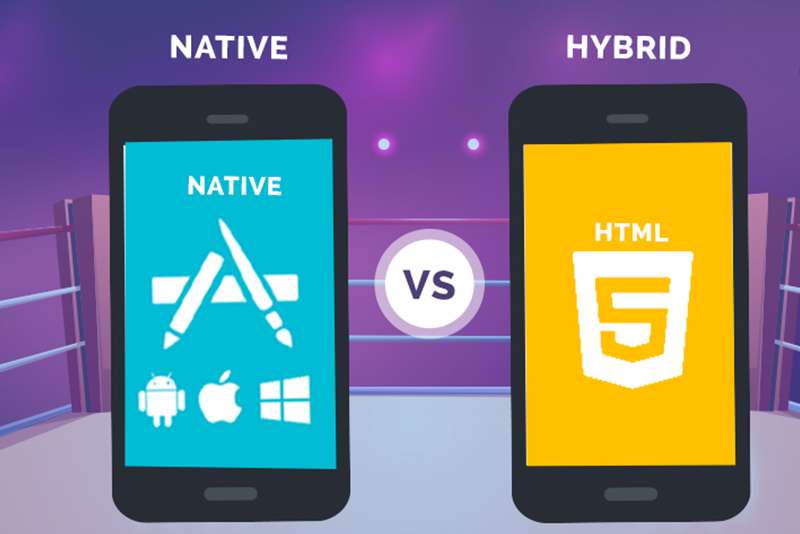
Hybrid Apps Or Native Apps

Thanks to the mobile apps and smartphones, the business is growing at lightning speed. With quick access and interactive apps, your company can now target a huge audience. The most frequently asked question for developing a mobile app is whether to go for Native or Hybrid Apps. Well, the answer depends upon your requirements and preferences. To help you decide the right type of app for your business, have a look at the features and differences between both the types of apps.

Native Apps

An application that is developed specifically for the particular operating system is called a native app. These apps are developed using different coding languages for different operating systems. For example, Java/Kotlin is used to build an app for Android and Objective-C/Swift is used for creating an app for iOS. Apps are developed individually for each platform to boost the performance and give a smooth experience to the users. Designing the app for each platform is different right from visual effects and interface to graphic systems.

Hybrid Apps

A hybrid app is an app that works on all platforms without the need to develop apps for different operating systems. A hybrid app gets its name from the hybridization or a combination of a native app and a web app. A hybrid app might appear like a native app, but it uses web apps to show products. A web app is put in the native app to function properly for all the operating systems. A single app is developed using HTML, JavaScript and other languages that run efficiently on iOS, Android, Windows and other operating systems.


Which one to go for?

If you are having a start-up and want to develop a basic app within four to five months, then opt for hybrid apps. These apps will be developed at a low cost, less time and can serve the purpose of having an app for your business.
Native apps are usually recommended for the companies having a larger target audience and want an interactive app for their business.
Both the apps have pros and cons; you can choose the one that fits your criteria and budget. Thus, at TopNotch Solutions, we have an expert team to help you design both hybrid or native apps for your business. Our team helps you with creating the ideal app that will help your company to grow exponentially.

Book an appointment